Master The Art of Selling Profitable AI-Generated Logos In 2026.
Learn the “Vector Secrets” that 90% of sellers miss, copy-paste our pro Midjourney prompts, and turn $5 gigs into $200 branding packages.
The “No-Robot” Reality Check: Why Most AI-Generated Logos’ Sellers Fail
Let’s be real for a second. You can’t just toss a raw AI image at a client and expect to get paid well.
Sure, you might scrape by in the Fiverr bargain bin, competing with thousands of others for $5 scraps. But what if you want to see $2,000 hit your bank account every month? You have to solve the massive headache that AI still hasn’t figured out: Vectorization.

Image generated for: “A triptych display of the three logo styles described above. Left: A geometric cyan cloud node logo. Center: A vintage monoline coffee badge in rust orange. Right: A neon green cyber wolf mascot. All presented on a clean white background to showcase the “flat” style.”
Think of an AI-Generated Logos as a business’s DNA. It has to work everywhere. It needs to look sharp on a tiny business card and crisp on a massive highway billboard. If your delivery is just a standard image file, it’ll turn into a pixelated mess the moment it’s resized.
Delivering a JPG makes you an amateur. Delivering an SVG (Scalable Vector Graphic) makes you a professional designer.
I’ve seen those other guides. They promise you’ll make “bagel money” selling fantasy portraits.
But it’s 2026. Bagel money won’t even cover your morning coffee. We’re aiming for “pay-the-rent” money.
The market is currently drowning in low-effort AI art because everyone can type “cool dragon” into a prompt box. But businesses don’t need pretty pictures; they need Identity Assets. They have actual budgets for this.
Here’s how you by-pass the noise, out-earn the amateurs, and build a serious design agency using AI as your high-speed engine.
Phase 1: The Kitchen (Your Tool Stack) For AI-Generated Logos
You wouldn’t try to fix a car with a plastic spoon. You need a real kit. To dominate the logo market in 2026, you need a software stack that makes you look like a ten-person agency.
The “Logo Lord” Stack Table
| Tool | Purpose | Cost | The “Human” Analogy |
| Midjourney (v6+) | Generating raw visual concepts and styles. | ~$30/mo | The brilliant but messy artist in the corner. |
| ChatGPT (Plus) | Strategy, naming, and Brand Guidelines. | ~$20/mo | The sharp marketing lead who handles the pitch. |
| Vectorizer.ai | Converting pixels to math (SVG/Vector). | Free/Paid | The translator who cleans up the artist’s mess. |
| Adobe Illustrator | Final polish, precision tweaks, and export. | ~$23/mo | The surgeon’s scalpel for total precision. |
(Quick tip: You can swap Illustrator for Inkscape if you’re on a budget, but whatever you do, never skip the vector step. Seriously.)
Phase 2: The “Vector Secret” (Your Unfair Advantage)
Pay attention, because this is the pivot point. If you master this, you’re already ahead of 90% of the people on Fiverr.
Most sellers follow a path to failure:
1. They generate an image in Midjourney.
2. They send the PNG file to the client.
3. The client tries to print it, it looks blurry, and they demand a refund.
You are going to do things differently:
1. Generate a concept.
2. Turn it into a vector.
3. Deliver a professional file package containing AI, EPS, SVG, and high-res PNGs.
Why does this matter?
A standard image (JPG or PNG) is like a mosaic made of tiny squares. Stretch it, and it breaks. A vector is built on pure mathematics. It uses lines and curves that stay perfectly sharp whether they are the size of a postage stamp or a skyscraper.

How to do AI-generated logos without breaking a sweat:
You don’t have to be a math genius.
1. Get the best logo results from Midjourney.
2. Drop it into Vectorizer.ai or use “Image Trace” in Illustrator.
3. Export it as an SVG.
That’s it. That two-minute workflow is why you can charge ten times more than the guy next to you. You’re giving the client something a print shop can actually use.
Phase 3: The Copy-Paste Prompt Vault (2026 Edition)
Design trends have evolved. We’ve moved into “Neo-Minimalism.” Clients want marks that are clean, bold, and modern.
The golden rule for AI logos? Keep it flat. If you let the AI add 3D shadows and gradients, it becomes a nightmare to vectorize. Flat colors are your best friend.
1. The “Tech Startup” (Neo-Minimalist) fOR AI-Generated Logos
>Prompt: `Vector logo design for a tech startup called “Nebula”, simple geometric cloud shape, interconnected nodes, flat vector, minimal, solid white background, cyan and deep blue color palette, Paul Rand style, no shading, no realistic details –v 6.0 –no text`
2.The “Hipster Coffee Shop” (Vintage Badge)
> Prompt: `Vector logo emblem for a coffee shop, line art style, coffee bean and mountain fused together, circular badge, monoline, flat vector, minimalist, white background, vintage aesthetic, rust orange and dark grey –v 6.0 –no shading`
3. The “Esports Team” (Mascot)**
> Prompt: `Vector mascot logo for an esports team “Cyber Wolves”, aggressive cybernetic wolf head, profile view, flat vector, thick bold outlines, neon green and black, white background, sticker art style, vector illustrative –v 6.0`
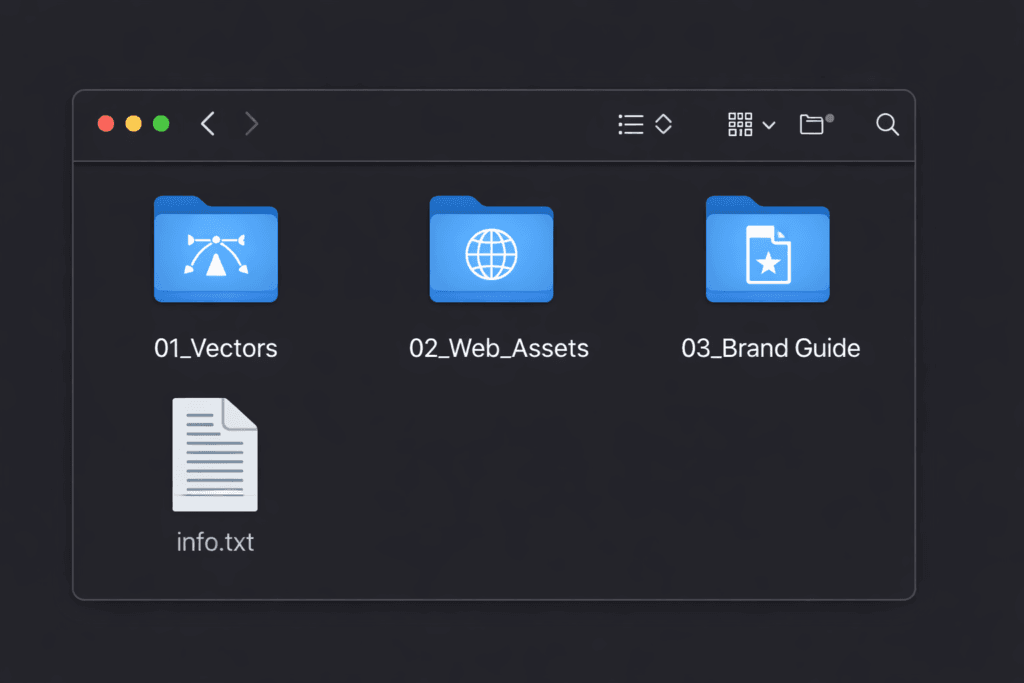
Image generated for: “A computer screenshot showing a perfectly organized file directory. The main folder is open, revealing three subfolders labeled “01_Vectors”, “02_Web_Assets”, “03_Brand_Guide”, and a text file. The icons look sleek and modern.”
(Pro Tip: Always use the `–no text` command. AI still struggles with spelling after a few drinks. It’s much safer to add the typography yourself in Canva or Illustrator.)
Phase 4: The “Rank Crusher” Gig Setup Don’t just post a gig and pray.
You need to build a trap for success. Use “Popcorn Pricing” to guide your clients toward the more expensive options.
The Title
* Avoid: “I will make an AI logo.” (Cheap and lazy.)
* Try: “I will design a Modern Minimalist Vector Logo and Brand Identity.” (Professional and high-value.)
The Package-Service Tier Strategy: From Concept to Authority
| Package | Name | What’s Included | Price Strategy |
| Basic | “The Concept” | 2 AI Concepts (JPG only). No Vector. | $15 (The “Low Barrier” entry or decoy.) |
| Standard | “The Pro Launch” | 3 Concepts + Vector Files + High Res PNG. | $65 (The “Sweet Spot” where the volume is.) |
| Premium | “The Full Brand” | 5 Concepts + Vectors + Full Brand Guide. | $145+ (The “High-Ticket” for serious players.) |
Step-by-Step: How the Stack Works
1. Midjourney: The Visual Spark
Use Midjourney to skip the “blank page” phase. Instead of sketching for hours, use prompts like minimalist vector logo, flat design, tech industry, geometric shapes --style raw to generate 20+ concepts in minutes. Your goal here isn’t a finished file, but a high-level visual direction that looks professional.
2. ChatGPT: The Strategic Brain fOR AI-Generated Logos
Once you have a visual, feed the concept back to ChatGPT. Ask it to generate a “Brand Identity Guide” based on the logo. It will provide you with color palettes (Hex codes), typography pairings, and the “brand voice.” This ensures your logo isn’t just a pretty picture, but a business tool with a story.
3. Vectorizer.ai: The Technical Bridge
AI art is made of pixels (raster), which get blurry when resized. Vectorizer.ai is the real “bridge.” You upload your Midjourney PNG, and the AI redraws it into mathematical paths (SVG).
This makes the logo “infinitely scalable,” meaning it will stay crisp on a tiny business card or a massive billboard.
4. Adobe Illustrator: The Final Authority for AI-Generated Logos
Even the best AI makes tiny mistakes—a crooked line or a weird artifact. Open your vectorized file in Illustrator to “manually” perfect the anchor points. This is where you add the final typography and ensure the spacing (kerning) is perfect. This step separates “AI hobbyists” from the professional “Logo Lords.”
Phase 5: The “Brand Kit” Upsell (How to Earn $200+ With AI-Generated Logos
A logo is just a stamp. A **brand** is an entire ecosystem. For your top-tier package, you aren’t just handing over a file; you’re providing a roadmap.
Most clients are just starting out. They need help with fonts, colors, and a “vibe.” This is where you become a consultant.
Build a Brand Kit in minutes For AI-generated logos:
1. Chat with AI: Ask ChatGPT to write a mission statement for the brand and suggest two fonts that play well together.
2. Use Canva: Grab a “Brand Guidelines” template.
3. Add the Goods: Drop in your vector logo and the specific color codes (Hex codes) you used.
The real magic? When you deliver this, mention that they’ll need a professional home for their new look. You can point them towards a solid [business hosting plan] at Hostinger.com to get their site live. It adds massive value to their experience.
Why This Pricing Works For AI-Generated Logos
The Basic Tier is your “Foot in the Door.” It’s priced so low that it’s an impulse buy, but because it doesn’t include vectors, most serious clients will naturally move up.
The Standard Tier is your profit engine. It provides the client with everything they actually need for a website or social media without you having to do the extra legwork of a brand book.
The Premium Tier positions you as a consultant rather than just a designer. By including the Brand Guide (which you generate using the ChatGPT part of your stack), you’re selling strategy, not just a logo.
Phase 6: Delivering the Goods Presentation is everything.
Don’t just dump files into the chat like you’re taking out the trash. Send a clean, organized zip file.
Folder Structure:
* 📂 01_Vector_Files (The important stuff: AI, SVG)
* 📂 02_Web_Assets (Transparent PNGs)
* 📂 03_Social_Media (Pre-sized profile pics)
* 📄 Read_Me.txt (A personal thank-you note)
This level of organization tells the client you are a pro. That’s how you secure those glowing 5-star reviews that keep the orders coming.
Frequently Asked Questions About AI-Generated Logos
1. Can I copyright these logos?
It’s a gray area. Pure AI art usually can’t be copyrighted. But once you vectorize it, tweak the lines, and add your own custom text, you’ve added human authorship. Just be honest with your clients that AI assisted the conceptual phase.
2. What if the client wants text included in their AI-generated logos?
Never trust the AI to spell “Smith & Sons.” It will give you something unreadable. Generate the icon, then bring it into Canva or Illustrator to add the text yourself. That “human touch” is what they are actually paying for.
3. Why do I keep talking about “vectors”?
Because it’s the litmus test for quality. If a client tries to put a PNG logo on their company truck, it’ll look like a blurry mess. Vectors are the only way to go. Selling AI-generated logos without one is like selling a phone without a screen.
4. Is this cheating?
Was the transition from brushes to Photoshop cheating? No. It’s an evolution. You are the Creative Director. AI is your high-speed intern. Your job is to curate the best ideas and polish them into a finished product.
(Want to dive deeper into the technical side? Check out this guide on [Vector vs. Raster images](https://www.adobe.com/creativecloud/file-types/image/vector.html) to see why it matters so much.)
Call to Action
Stop scrolling and start prompting. The market for generic AI art is crashing, but the market for Brand Identity is exploding.
Your homework for tonight:
1. Generate 3 “Portfolio” logos using the prompts above.
2. Vectorize them (seriously, go try it right now).
3. Create your Fiverr gig with the title: “I will design a timeless Vector Logo for your business.”
You are not just an “AI prompter.” You are a Brand Architect. Now go build something.
(P.S. If you make your first $100 using this guide, buy yourself a bagel. You earned it.).
Better Still, Buy for ME coffee and tell us what else you would want us to cover next for you in the comments below